How to Write Meta Descriptions That Increase Click-Through Rates

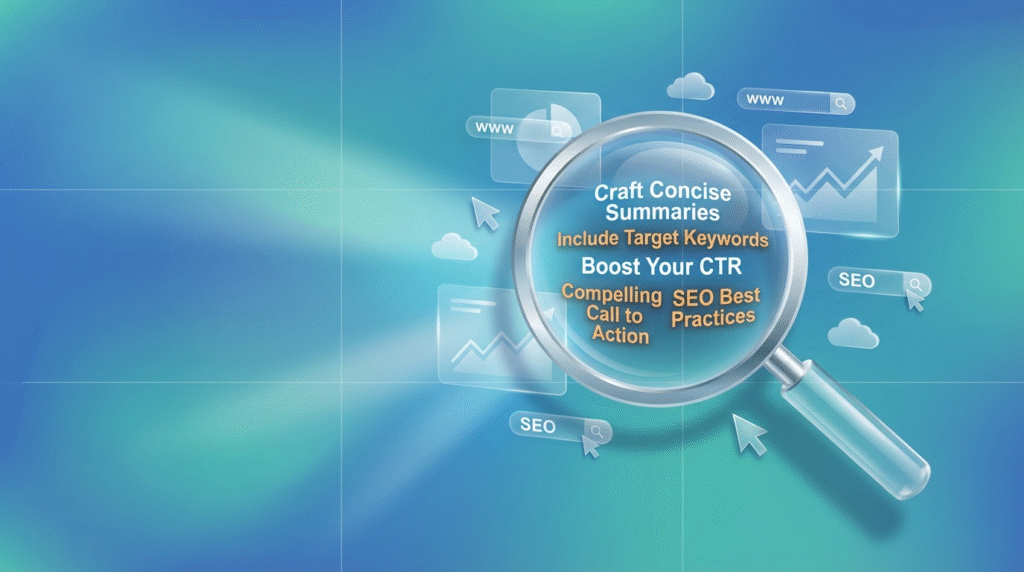
Meta descriptions serve as your website’s elevator pitch in search results, appearing directly below your title tag and URL. While Google confirmed that meta descriptions don’t directly impact rankings, their influence on click-through rates makes them a crucial component of on-page SEO strategy. Research shows that compelling meta descriptions can increase organic CTR by 5.8% on average, directly translating to more website traffic without improving your ranking position.
In this comprehensive guide, I’ll walk you through the science and strategy behind writing meta descriptions that compel users to click. You’ll learn the optimal length requirements, psychological triggers that drive action, and common mistakes that harm your click-through rates. Most importantly, you’ll discover a systematic approach to crafting meta descriptions that consistently outperform generic alternatives.
Understanding Meta Description Fundamentals
What Meta Descriptions Actually Do
Meta descriptions function as advertising copy for your organic search results. When users scan search engine results pages (SERPs), they typically read the title first, then glance at the meta description to determine if the content matches their intent. Studies indicate that users spend an average of 2.6 seconds evaluating each search result, making your meta description crucial for capturing attention quickly.
Google doesn’t always display your written meta description. Research from Portent found that Google rewrites meta descriptions approximately 70% of the time, particularly when the original doesn’t closely match the search query. However, this shouldn’t discourage optimization efforts. Well-crafted meta descriptions that align with your content and target keywords are more likely to appear as written.
Optimal Length and Display Requirements
Google typically displays 150-160 characters of meta description text on desktop and slightly fewer on mobile devices. However, like title tags, Google measures by pixel width rather than character count. The current limit is approximately 920 pixels on desktop, which translates to roughly 155-160 characters for most fonts.
I recommend keeping meta descriptions between 140-155 characters to ensure complete display across all devices. This length provides enough space to include your primary keyword, a compelling value proposition, and a call-to-action while avoiding truncation that can harm user experience.
Psychological Elements That Drive Clicks
Addressing Search Intent Directly
The most effective meta descriptions immediately address the user’s search intent. Research from Microsoft’s Bing team found that meta descriptions matching query intent receive 34% higher click-through rates than generic descriptions. This means understanding whether users are seeking information, trying to navigate to a specific page, comparing options, or ready to make a purchase.
For informational queries, focus on promising specific answers or insights. For commercial intent, highlight unique benefits or competitive advantages. Navigational searches require clear confirmation that users have found the right destination.
Creating Urgency and Specificity
Specific details consistently outperform vague promises in meta descriptions. Instead of “Learn SEO tips,” write “Master 15 SEO techniques used by Fortune 500 companies.” Numbers, statistics, and concrete outcomes create credibility and set clear expectations for what users will find on your page.
Time-sensitive language also improves performance. Phrases like “2025 guide,” “latest strategies,” or “updated methods” signal current, relevant information. However, avoid false urgency or misleading claims that don’t match your actual content.
Including Emotional Triggers
Emotional language in meta descriptions can significantly impact click-through rates. Words that evoke curiosity (“secrets,” “surprising,” “little-known”), achievement (“master,” “dominate,” “succeed”), or problem-solving (“fix,” “solve,” “eliminate”) tend to generate more engagement than neutral descriptions.
However, balance emotion with accuracy. Overly promotional language can appear spammy and may prompt Google to rewrite your meta description entirely.
Strategic Keyword Integration
Primary Keyword Placement
Including your primary keyword in the meta description serves two purposes: it helps Google understand your page’s relevance, and it appears bolded in search results when it matches the user’s query. This visual emphasis can draw attention and improve click-through rates.
Place your primary keyword naturally within the first 120 characters when possible. This ensures it remains visible even if the description gets truncated on smaller screens or in different SERP layouts.
Semantic Keywords and Variations
Modern search algorithms understand context and related terms, allowing you to include semantic keywords without appearing repetitive. For example, if your primary keyword is “content marketing,” you might naturally incorporate related terms like “blog strategy,” “audience engagement,” or “brand storytelling” in your meta description.
This approach helps capture searches using different terminology while maintaining natural readability. It also provides more opportunities for your description to appear bolded in search results for various related queries.
Industry-Specific Best Practices
E-commerce Product Pages
Product page meta descriptions should focus on key features, benefits, and differentiators. Include important specifications, price points if competitive, and unique selling propositions. For example: “Professional DSLR camera with 24MP sensor, 4K video, and weather sealing. Free shipping and 2-year warranty included.”
Customer ratings, availability status, and promotional offers can also boost click-through rates for product pages. However, ensure this information stays current to avoid disappointing users with outdated details.
Service-Based Business Pages
Service page descriptions should emphasize outcomes and benefits rather than process details. Focus on what clients achieve rather than how you deliver services. Include geographic modifiers for local businesses and highlight credentials or experience when relevant.
Social proof elements like client count, years of experience, or industry recognition can also improve credibility and click-through rates for service-based descriptions.
Blog and Content Pages
Content page descriptions should promise specific, actionable insights. Mention the format (guide, checklist, case study) and quantify the value when possible. “Step-by-step guide reveals 12 conversion optimization techniques that increased sales 47% in 30 days” performs better than “Learn about conversion optimization.”
For long-form content, consider mentioning the comprehensiveness or depth to set appropriate expectations and attract users seeking thorough information.
Common Meta Description Mistakes
Duplicating Title Tag Content
Repeating your title tag information in the meta description wastes valuable space and provides no additional value to searchers. Instead, use the meta description to expand on your title’s promise or highlight different benefits that encourage clicking.
Generic, Template-Based Descriptions
Using the same meta description template across multiple pages reduces their effectiveness and can confuse search engines about your content’s unique value. Each page should have a custom meta description that accurately reflects its specific content and purpose.
Keyword Stuffing
Overloading meta descriptions with keywords makes them difficult to read and can appear spammy to both users and search engines. Focus on natural language that incorporates keywords organically while maintaining readability and appeal.
Misleading or Clickbait Descriptions
While compelling descriptions are important, avoid promising more than your content delivers. Misleading descriptions may generate initial clicks but result in high bounce rates, which can negatively impact your search rankings over time.
Key Takeaways
Focus on search intent: Write descriptions that directly address what users are seeking, whether that’s information, solutions, or specific products/services.
Optimize for completeness: Keep descriptions between 140-155 characters to ensure full display across all devices and SERP layouts.
Include compelling specifics: Use numbers, timeframes, and concrete benefits rather than vague promises to build credibility and interest.
Integrate keywords naturally: Include your primary keyword and related terms in a way that reads naturally while helping searchers identify relevant content.
Create unique descriptions: Write custom meta descriptions for every important page rather than using templates or duplicating existing content.
Frequently Asked Questions
Should I include my brand name in meta descriptions?
Include your brand name if it adds credibility or recognition value, particularly for established brands. However, if space is limited and your brand name appears in the URL, prioritize using that space for compelling copy that encourages clicks. For local businesses, including location information often provides more value than brand repetition.
What happens if I don’t write a meta description?
Google will automatically generate a meta description using content from your page that it deems most relevant to the search query. While this can sometimes work well, you lose control over the messaging and may miss opportunities to create compelling, click-worthy descriptions that align with your marketing goals.
Can I use special characters or emojis in meta descriptions?
Standard punctuation marks work well and can help organize information effectively. Emojis display in some search results and may increase click-through rates for consumer-facing content, but they can appear unprofessional for B2B or formal industries. Test their appearance in actual search results before widespread use.
How often should I update my meta descriptions?
Review meta descriptions quarterly for high-traffic pages and annually for all pages. Update immediately if you notice poor click-through rates (below 2% for top-10 rankings), if page content changes significantly, or if you’re targeting different keywords. However, avoid frequent changes without strategic reasoning.
Do meta descriptions affect local search results?
Yes, meta descriptions appear in local search results and can influence click-through rates for location-based searches. Include relevant geographic modifiers and local benefits when appropriate, such as “serving downtown Chicago” or “same-day delivery in Austin.” Local relevance signals can improve both visibility and clicks.
Should meta descriptions be different for mobile vs desktop?
Google uses the same meta description for both mobile and desktop results, but mobile displays fewer characters due to screen size constraints. Focus on front-loading the most important information within the first 120 characters to ensure key messages appear on all devices.